
MS Word Reports (DOCX)
Overview
MS Word Reports let you generate a custom Word (.docx) report from an inspection using a Word layout you control. You design the report in Microsoft Word (tables, headings, spacing, branding), then VLX fills in inspection data using Field IDs placed in the document.
Benefits
- Flexible formatting: match an exact report format your team already uses
- Custom layouts: build the report structure you want (tables, sections, headers/footers)
- Editable output: download a .docx you can share or tweak after generation
- Consistent reporting: standardize reports across inspectors and teams
Understanding Field IDs
In the Template Builder, every page, section, and control has an auto-generated Field ID. You can find it in the right-side settings panel under Advanced → Field ID.
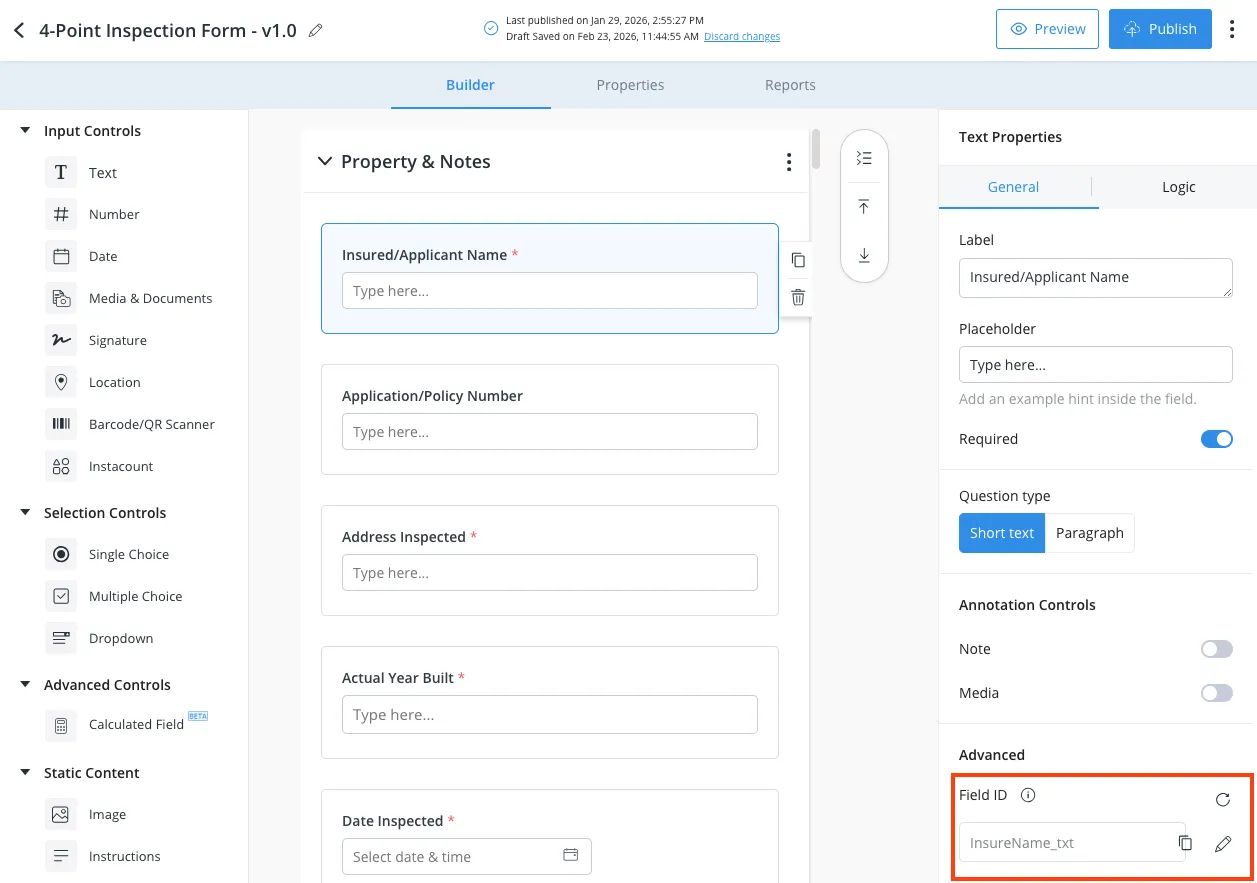
You’ll use these Field IDs inside your Word layout to pull inspection data into the report.
👉 Field ID Syntax Guide: MS Word Reports: Field ID Syntax Guide(link to your Field ID syntax page)
MS Word Layouts
MS Word Layouts are the Word (.docx) templates used to generate reports.
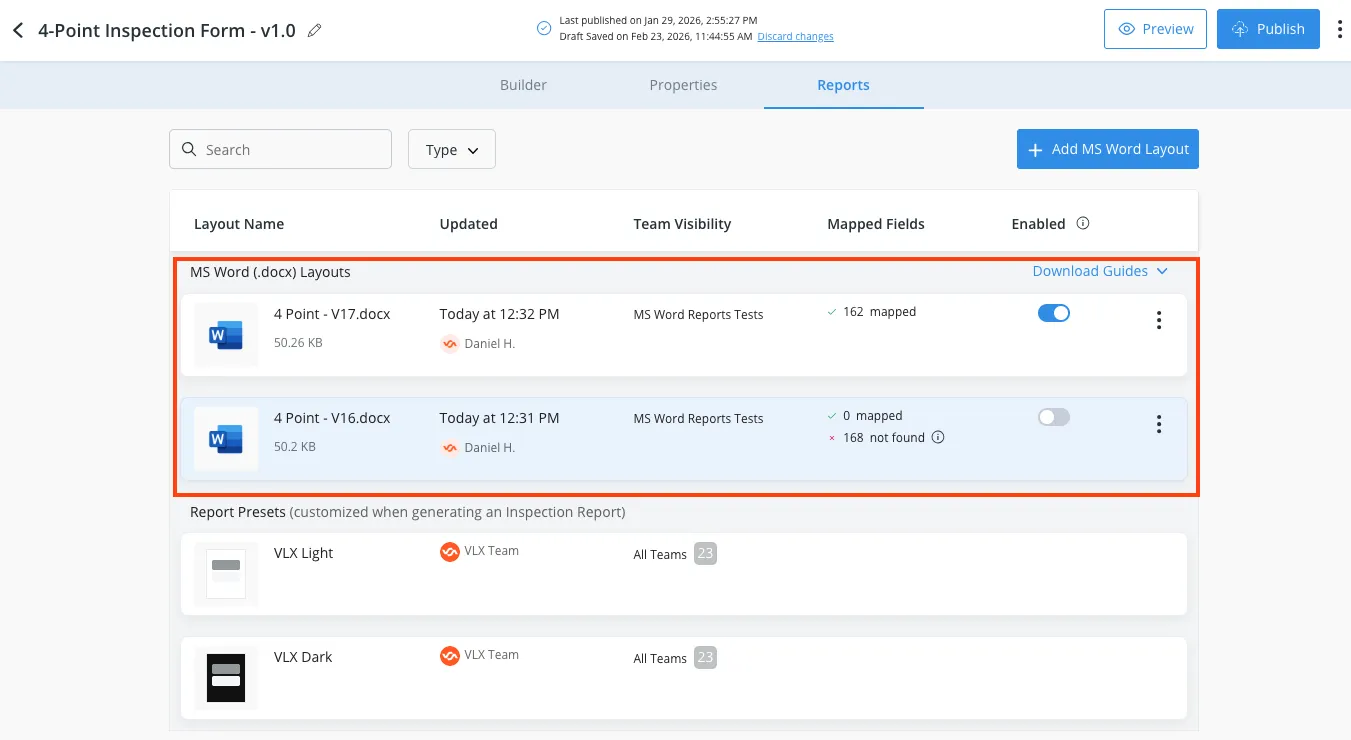
Add an MS Word layout
- Open your template in the Template Builder.
- Click Reports.
- In MS Word (.docx) Layouts, click Add MS Word Layout.
- Upload your Word file.
If you don’t see the Reports tab, email [email protected] and ask to have MS Word Reports enabled for your account.
Mapped Fields (validation)
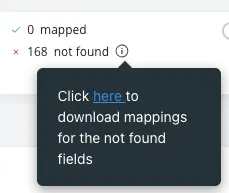
After upload, VLX scans your document for Field IDs and shows results in the Mapped Fields column:
- Mapped = recognized Field IDs that match your template
- Not found = Field IDs that don’t match anything in the template (commonly: typo, wrong Field ID, or wrong syntax)
You can also download a list of unmapped fields to quickly find what needs to be fixed.
Generate a Word report from an inspection
Option 1: Report Preview
- Open the inspection.
- Click Report (top right).
- Select your MS Word layout on the left.
- Preview the report.
- Click Download (top right) to download the .docx.
Option 2: Three-dot menu (direct download)
- Open the inspection.
- Click the three-dot menu (top right).
- Select Download Word Report.
Additional Help Resources
In the Template Builder → Reports tab, use Download Guides for:
- Template Field IDs Downloads a list of all Field IDs in the template, sequenced in the same order as the template.
- Mapping Syntax Downloads the Word report syntax guide (Field ID formatting rules and examples).
Contact us at [email protected] or submit a help ticket for any addiional help.