
Monitoring VLX AI Usage
VLX tracks the use of AI Scribe, AI Walkthrough, and AI Template Builder through VLX AI credits.
Users can quickly check their own usage from anywhere in the web application. Administrators can access a detailed usage dashboard to monitor AI consumption across the organization.
View your VLX AI usage
Select VLX AI from the top navigation bar.
The VLX AI menu shows:
- Credits used during the current cycle
- When your credits renew
- Credits used by AI Scribe
- Credits used by AI Walkthrough
- Credits used by AI Template Builder
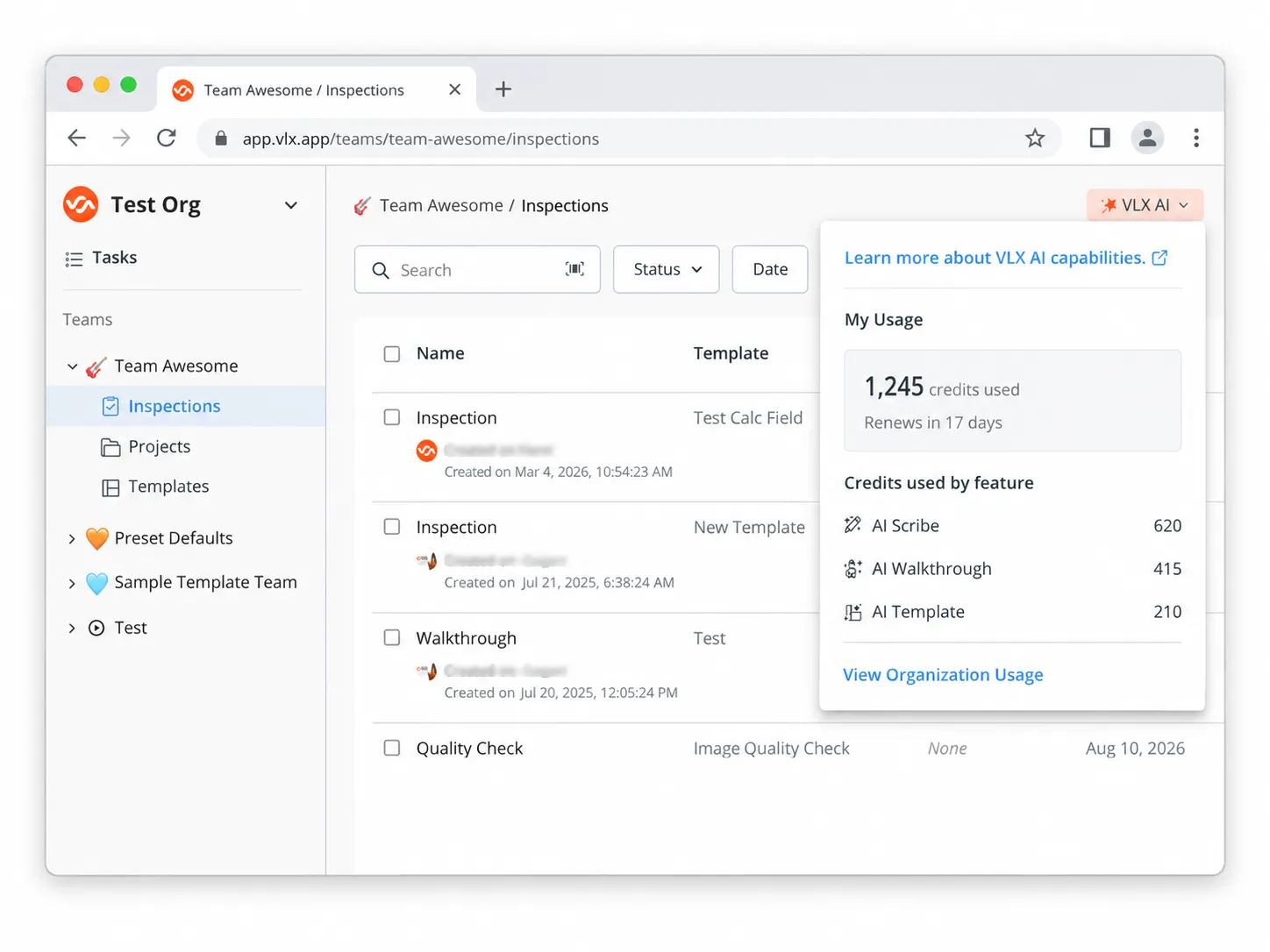
Select View Organization Usage to open the detailed VLX AI Usage page.
View detailed VLX AI usage
Administrators can access the full usage dashboard from:
Settings → Organization settings → Usage → VLX AI
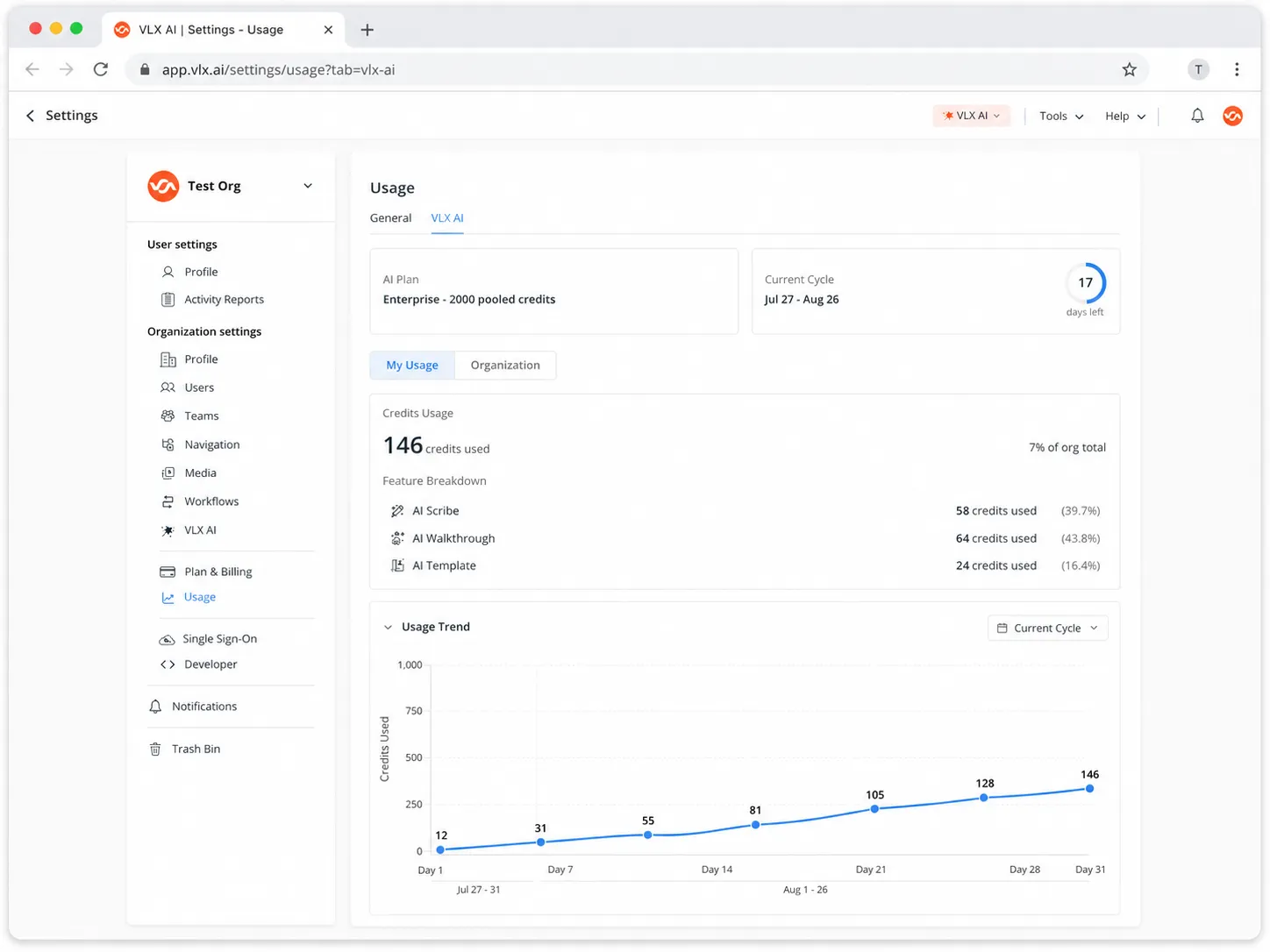
The dashboard provides information about your organization's AI plan, available credits, and how those credits are being used.
AI plan and current cycle
At the top of the page, you can see:
- Your current AI Plan
- Total pooled credits available
- Current usage cycle
- Number of days remaining in the cycle
Monitor credit usage
The Credits Usage section shows how much of your organization's available AI credits have been consumed.
It includes:
- Credits used
- Total credits available
- Percentage of credits used
- Usage by VLX AI feature
The feature breakdown includes:
- AI Scribe
- AI Walkthrough
- AI Template Builder
My Usage and Organization Usage
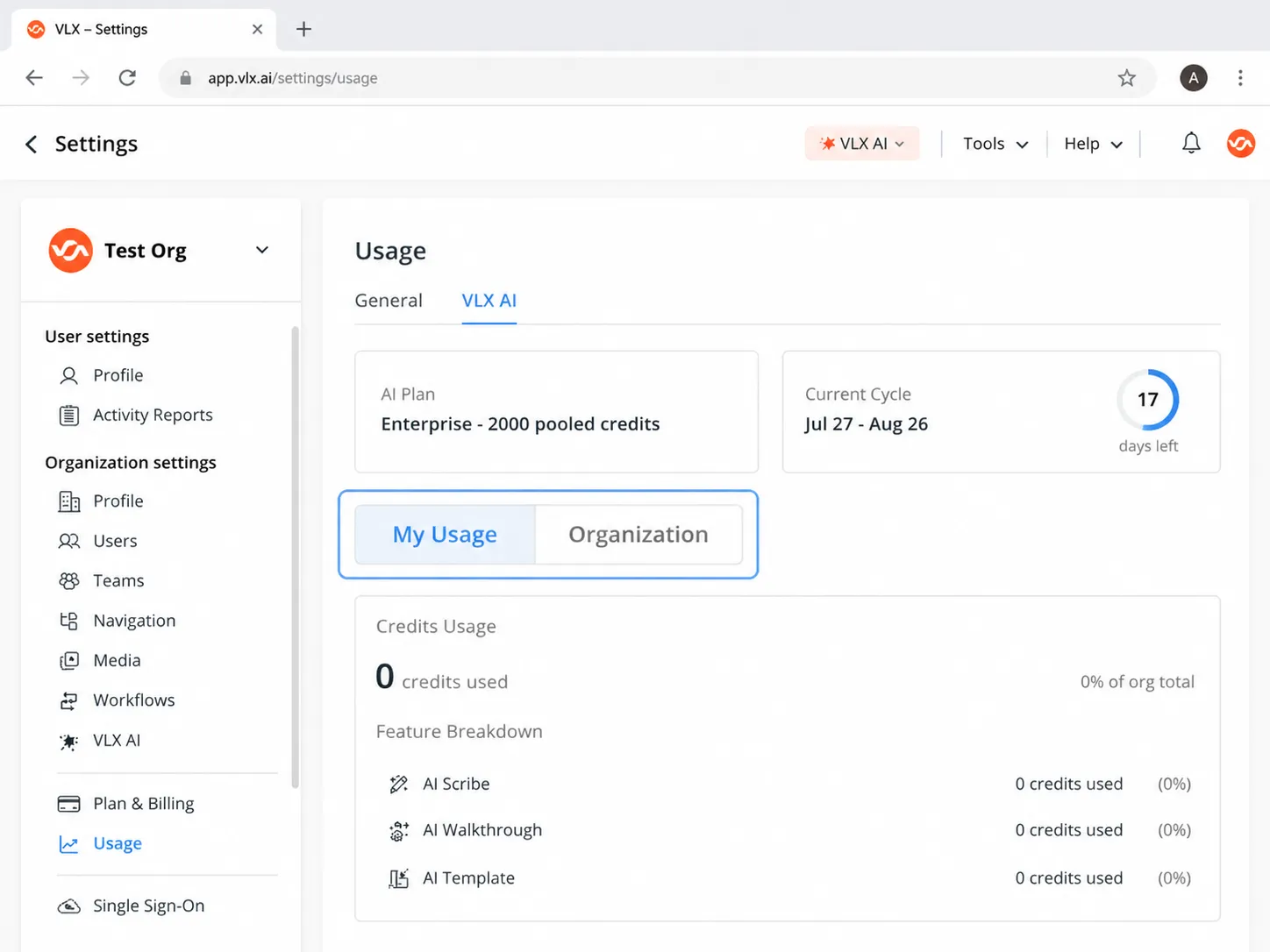
Use the tabs at the top of the dashboard to switch between:
My Usage
View the VLX AI credits consumed by your own account.
Organization
View usage across the entire organization.
Analyze organization usage
Within Organization usage, you can review credit consumption by:
- Users
- Team
- Feature
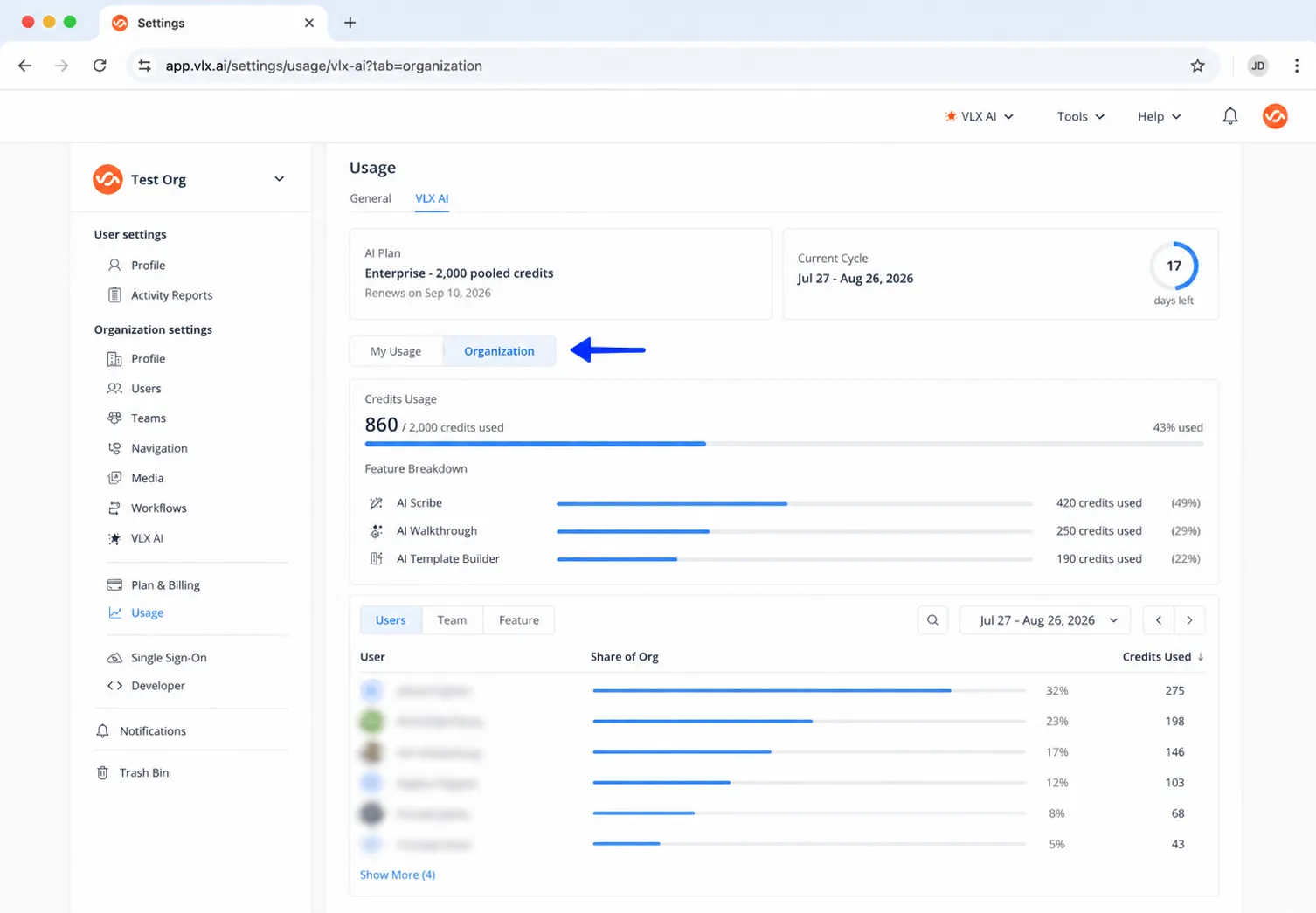
This allows administrators to understand where VLX AI is being used and which users, teams, or features are consuming the most credits.
About VLX AI credits
AI Scribe, AI Walkthrough, and AI Template Builder consume VLX AI credits when used.
Depending on your VLX AI plan, credits may be shared across the organization as a pooled allowance or as a per user allocation.
Use the VLX AI Usage dashboard to monitor consumption throughout the cycle and understand how your organization is using VLX AI.
Related articles
- AI WalkthroughAI Walkthrough
- AI ScribeAI Scribe
- AI Template BuilderAI Template Builder
- Monitoring VLX AI UsageMonitoring VLX AI Usage